Your space
Most of Initiative is organised by community and initiative, which is excellent right up until you belong to four of them and simply want to know what you're supposed to be doing today.
That's what your space is for: personal views that gather your things from across every community at once.
You've already been in it. Signing in puts you here, and the Initiative logo in the top-left corner — above your communities on the rail — brings you back from wherever you've got to. The sidebar swaps to your own short list: My Tasks, My Calendar, My Tools, My Messages, My Stats.
My Tasks
Everything assigned to you, from every community and every project, in one list — the page signing in drops you on. Group it by date or by community, filter by priority or status, or swap the table for a calendar.
If you only ever open one page in Initiative for the rest of your life, it's this one.
Focus
The short list at the top: what actually wants doing. Overdue work always shows, and past that you set how far ahead to look for each priority — so an urgent thing can appear a month out while a low one waits until the day.
Pin anything to keep it there whatever those settings say. The thing you promised on the phone. The thing that isn't due for weeks but will comprehensively ruin the week it is due.
Tick something off and it stays until tomorrow, struck through, with the count above it going up. The pile shrinking is the point.
My Tools
Every tool of every kind that's reached you, from every community, in one table. Pick a tool along the top and the table underneath changes. Each row says which community and which initiative it came from, so you can stop playing which one was that in again.
A tool you have none of anywhere doesn't appear at all. Never touched a queue? No queue, and no empty table sulking behind it.
"Reached you" means the same thing everywhere in your space: shared with you, shared with a role you hold, or shared with everyone in an initiative you're in. It does not mean "everything you could theoretically prise open if you went looking". Even a community admin, who can reach absolutely anything in their community, gets their own work here rather than a 400-row inventory of everybody else's.
Two switches sit above the table:
- Everything / Made by me — the second is exactly what it sounds like: things you wrote, regardless of who's been given them since.
- Communities — for when you're in five and today you care about one.
The tool, the search, the order, the page and the communities you picked all live in the address bar. So whatever you're looking at is a link, which is a considerably nicer thing to send somebody than "open My Tools and click around a bit".
My Messages
Your private conversations — two people or a few, end-to-end encrypted, and the only page here whose contents live on your device rather than on the server.
Beside them is everyone you can reach. Unread first, then the people you starred, then your connections, then everybody else — each group folds away and stays folded. Requests waiting on you sit above the lot, connection or message, either direction, so answering one doesn't mean going rummaging in Settings.
Star anyone to keep them near the top. It's completely private and tells them absolutely nothing, which is the correct design for a feature like this.
Nobody in the list yet, or somebody missing from it? The + goes and finds them:
- The people you starred, first, including anyone you share no community with.
- Each of your communities, searchable, twenty at a time with a Show more under each.
- A whole handle, number included (
sam#1234) — the one way to reach an account no list of yours will ever show, because they've kept themselves to themselves.
Somebody who takes no messages is shown like anybody else and simply offers nothing to click. They're there, and they're not reachable, and the row says both.
My Messages
Show: the conversation list with a request waiting above it, a folded group, and the new-conversation picker open over the top.
Save as en/images/your-space/my-messages.png, then replace this box with:

See Messages for who can reach you, connections, and what happens to your history when you sign out.
My Calendar
Your events and your dated tasks, from every community, on one calendar.
If you belong to three groups that each quietly believe their thing is the only thing happening in your week, this is the page that settles it.
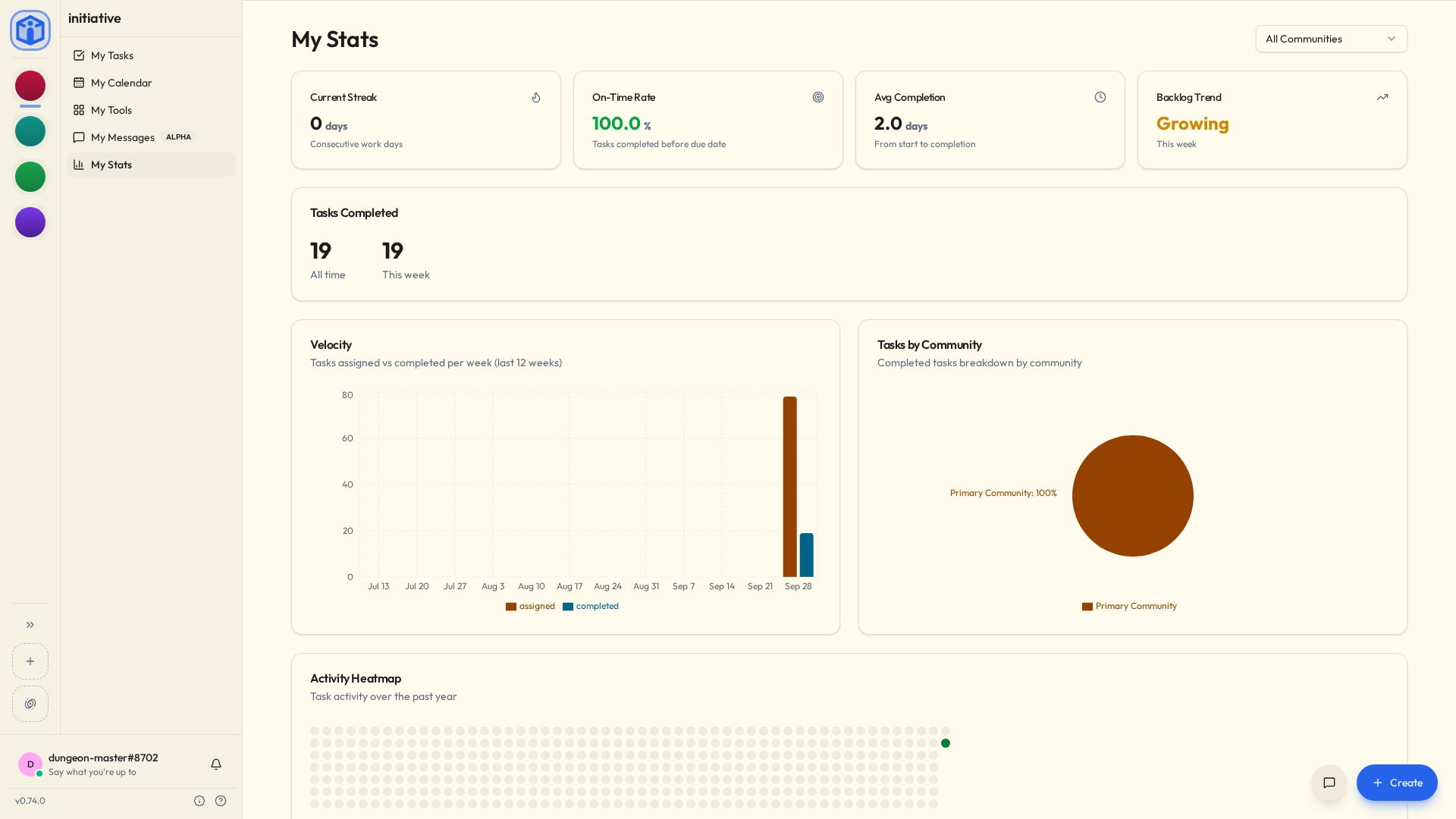
My Stats
A friendly look at your own activity:
- Current streak — consecutive days you got something done.
- On-time rate — how often you finish before the due date.
- Tasks completed — this week and all-time.
- Velocity — how much you take on versus how much you finish.
- An activity heatmap of the past year.
It's only for you. Nobody else can see it, there's no leaderboard, nobody is being ranked against anybody, and no manager is being sent a summary.
It exists because watching a streak build is quite nice, and that turns out to be reason enough.
Favourites
Star a project to add it to Favourites for one-click access. Personal to you; starring something changes nothing for anybody else.
Related
- Messages — private conversations, and who can reach you.
- Notifications — how Initiative tells you things need doing.
- Search & shortcuts — jump anywhere in seconds.
- Profile & preferences — your profile, and how you appear.