Tags
Tags are labels you stick on things so that future-you can find them again.
The same tag works on every tool and most of what's inside them — tasks, events, pictures, wiki pages — so urgent, client-acme or idea rounds up everything on that subject, regardless of what kind of thing each one happens to be.
Adding one
Wherever you see an Add tags… box:
- Start typing a name.
- Pick an existing tag, or choose Create "your-tag" to invent one on the spot.
Done. It's attached, and now available everywhere else too.
Six good tags beat sixty bad ones
A handful you actually use will serve you far better than a sprawling taxonomy invented during one enthusiastic afternoon in February and never touched again.
Name them for how you'll want to search later, not for how you feel about the thing right now.
Finding things by tag
- Filter by tag on a list — tasks in a Table view, and most tool lists under Filters.
- The Tags view on a tool's list browses it by the tag tree. See Tools.
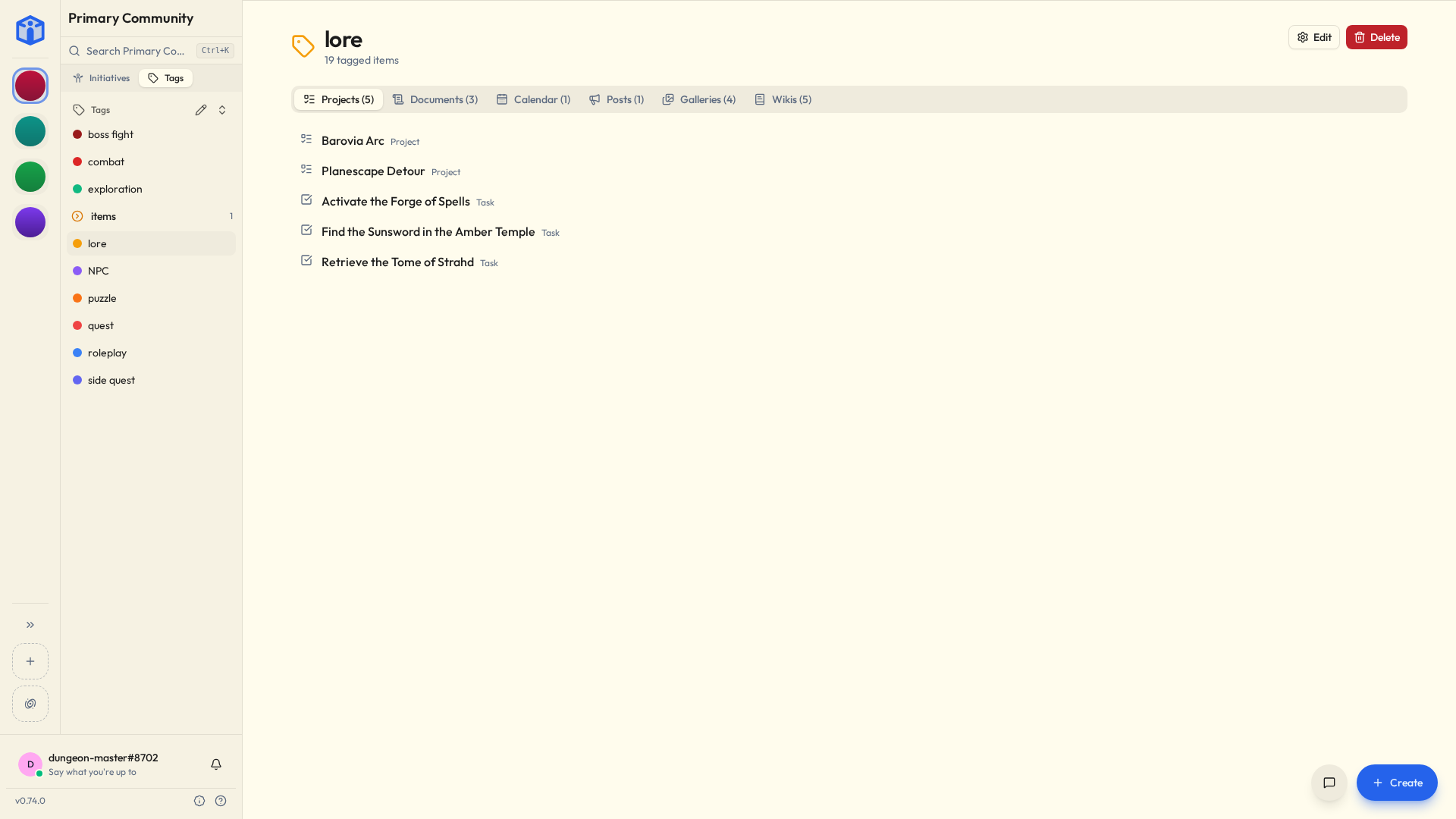
- The Tags tab in the sidebar lists every tag in the community.
- A tag's detail page shows everything carrying it, with one tab per kind of tool and how many are in each. A tagged task sits under Projects, a tagged page under Wikis.
Managing them
From a tag's detail page you can rename it — which updates it everywhere at once, so there's no find-and-replace and no forgotten stragglers — or delete it.
Deleted tags go to the Trash, so a mis-click is fixable for a while.
You can also add or remove tags on lots of things at once: select several tasks and edit their tags together.
Related
- Projects & tasks — tagging and filtering tasks.
- Files — tagging files.